<?xml version="1.0" encoding="utf-8"?><?xml-stylesheet type="text/xsl" href="atom.xsl"?>
<feed xmlns="http://www.w3.org/2005/Atom">
    <id>https://releval.co/blog/</id>
    <title>Releval blog</title>
    <updated>2026-09-07T00:00:00.000Z</updated>
    <generator>https://github.com/jpmonette/feed</generator>
    <link rel="alternate" href="https://releval.co/blog/"/>
    <subtitle>Release announcements and writing on search relevance evaluation.</subtitle>
    <icon>https://releval.co/blog/img/favicon.ico</icon>
    <rights>Copyright © 2026 Releval.</rights>
    <entry>
        <title type="html"><![CDATA[A browser tracker for Releval]]></title>
        <id>https://releval.co/blog/releval-tracker-1-0/</id>
        <link href="https://releval.co/blog/releval-tracker-1-0/"/>
        <updated>2026-09-07T00:00:00.000Z</updated>
        <summary type="html"><![CDATA[@releval/tracker 1.0 is on npm: a small browser library that reports searches, result impressions, clicks and the conversions that follow to a self-hosted Releval, using the open UBI event format so interactions can be joined back to the search that produced them.]]></summary>
        <content type="html"><![CDATA[<p>When I wrote about <a href="https://releval.co/blog/releval-1-0" target="_blank" rel="noopener noreferrer" class="">Releval 1.0</a>, I made the point that every query your users run is effectively another test case.
You didn't choose it. It's running in production right now, and unless you're collecting what happened afterwards, you may never know how it went.</p>
<p><strong><code>@releval/tracker</code> 1.0 is out.</strong></p>
<a class="card_joJo" href="https://www.npmjs.com/package/@releval/tracker" target="_blank" rel="noopener noreferrer"><svg class="logo_IR0A" viewBox="0 0 780 250" role="img" aria-label="npm" focusable="false"><path fill="currentColor" d="M240 250h100v-50h100V0H240v250zM340 50h50v100h-50V50zM480 0v200h100V50h50v150h50V50h50v150h50V0H480zM0 200h100V50h50v150h50V0H0v200z"></path></svg><span class="body_TMz6"><span class="name_UTCY">@releval/tracker</span><span class="description_UvhE">Capture searches, impressions, clicks and conversions in the browser.</span><span class="meta_Do2V"><span class="version_hUPQ">1.0.0</span><span class="dot_qbFA" aria-hidden="true"></span><span>Apache-2.0</span><span class="dot_qbFA" aria-hidden="true"></span><span>8.4 kB gzipped</span></span></span><span class="install_exu6">npm i <!-- -->@releval/tracker</span></a>
<p>It's a browser library for collecting that second half of the story: the results users actually saw, the ones they clicked, and the conversions that followed.</p>
<p>Every event is sent using the open <a href="https://releval.co/docs/user-behavior-insights/" target="_blank" rel="noopener noreferrer" class="">User Behavior Insights</a> event format and carries the id of the query that produced it. A purchase three pages later can still point back to the search that started it.</p>
<p>The package is Apache-2.0 licensed, around 8.4 kB gzipped, and has a single runtime dependency.</p>
<p>There are ESM, CommonJS and script-tag builds, full TypeScript definitions, and a React adapter under <code>@releval/tracker/react</code>.</p>
<p>The interesting bit isn't really collecting a click, though, <em>plenty of libraries</em> can do that.
It's joining that click back to the search.</p>
<h2 class="anchor anchorTargetStickyNavbar_Vzrq" id="four-events-not-analytics">Four events, not analytics<a href="https://releval.co/blog/releval-tracker-1-0/#four-events-not-analytics" class="hash-link" aria-label="Direct link to Four events, not analytics" title="Direct link to Four events, not analytics" translate="no">​</a></h2>
<p><code>@releval/tracker</code> isn't intended to be a general-purpose browser analytics library.
For search, there are four things we're interested in collecting:</p>
<ul>
<li class="">a <strong>search</strong>, when someone runs a query;</li>
<li class="">an <strong>impression</strong>, when a result is actually seen;</li>
<li class="">a <strong>click</strong>, when someone chooses one; and</li>
<li class="">whatever <strong>conversion</strong> follows, which might be a view, an add to cart, a purchase, or something else relevant to your domain.</li>
</ul>
<p>Events use the <a href="https://www.ubisearch.dev/" target="_blank" rel="noopener noreferrer" class="">open UBI event format</a>. A click looks like this on the wire:</p>
<div class="language-json codeBlockContainer_Ckt0 theme-code-block" style="--prism-color:#9CDCFE;--prism-background-color:#1E1E1E"><div class="codeBlockContent_QJqH"><pre tabindex="0" class="prism-code language-json codeBlock_bY9V thin-scrollbar" style="color:#9CDCFE;background-color:#1E1E1E"><code class="codeBlockLines_e6Vv"><div class="token-line" style="color:#9CDCFE"><span class="token punctuation" style="color:rgb(212, 212, 212)">{</span><span class="token plain"></span><br></div><div class="token-line" style="color:#9CDCFE"><span class="token plain">  </span><span class="token property">"action_name"</span><span class="token operator" style="color:rgb(212, 212, 212)">:</span><span class="token plain"> </span><span class="token string" style="color:rgb(206, 145, 120)">"click"</span><span class="token punctuation" style="color:rgb(212, 212, 212)">,</span><span class="token plain"></span><br></div><div class="token-line" style="color:#9CDCFE"><span class="token plain">  </span><span class="token property">"timestamp"</span><span class="token operator" style="color:rgb(212, 212, 212)">:</span><span class="token plain"> </span><span class="token string" style="color:rgb(206, 145, 120)">"2026-09-07T10:14:22.113Z"</span><span class="token punctuation" style="color:rgb(212, 212, 212)">,</span><span class="token plain"></span><br></div><div class="token-line" style="color:#9CDCFE"><span class="token plain">  </span><span class="token property">"application"</span><span class="token operator" style="color:rgb(212, 212, 212)">:</span><span class="token plain"> </span><span class="token string" style="color:rgb(206, 145, 120)">"relevaltech-html"</span><span class="token punctuation" style="color:rgb(212, 212, 212)">,</span><span class="token plain"></span><br></div><div class="token-line" style="color:#9CDCFE"><span class="token plain">  </span><span class="token property">"site_id"</span><span class="token operator" style="color:rgb(212, 212, 212)">:</span><span class="token plain"> </span><span class="token string" style="color:rgb(206, 145, 120)">"01K4S..."</span><span class="token punctuation" style="color:rgb(212, 212, 212)">,</span><span class="token plain"></span><br></div><div class="token-line" style="color:#9CDCFE"><span class="token plain">  </span><span class="token property">"query_id"</span><span class="token operator" style="color:rgb(212, 212, 212)">:</span><span class="token plain"> </span><span class="token string" style="color:rgb(206, 145, 120)">"01K4S..."</span><span class="token punctuation" style="color:rgb(212, 212, 212)">,</span><span class="token plain"></span><br></div><div class="token-line" style="color:#9CDCFE"><span class="token plain">  </span><span class="token property">"session_id"</span><span class="token operator" style="color:rgb(212, 212, 212)">:</span><span class="token plain"> </span><span class="token string" style="color:rgb(206, 145, 120)">"01K4S..."</span><span class="token punctuation" style="color:rgb(212, 212, 212)">,</span><span class="token plain"></span><br></div><div class="token-line" style="color:#9CDCFE"><span class="token plain">  </span><span class="token property">"client_id"</span><span class="token operator" style="color:rgb(212, 212, 212)">:</span><span class="token plain"> </span><span class="token string" style="color:rgb(206, 145, 120)">"01K4S..."</span><span class="token punctuation" style="color:rgb(212, 212, 212)">,</span><span class="token plain"></span><br></div><div class="token-line" style="color:#9CDCFE"><span class="token plain">  </span><span class="token property">"event_attributes"</span><span class="token operator" style="color:rgb(212, 212, 212)">:</span><span class="token plain"> </span><span class="token punctuation" style="color:rgb(212, 212, 212)">{</span><span class="token plain"></span><br></div><div class="token-line" style="color:#9CDCFE"><span class="token plain">    </span><span class="token property">"position"</span><span class="token operator" style="color:rgb(212, 212, 212)">:</span><span class="token plain"> </span><span class="token punctuation" style="color:rgb(212, 212, 212)">{</span><span class="token plain"> </span><span class="token property">"ordinal"</span><span class="token operator" style="color:rgb(212, 212, 212)">:</span><span class="token plain"> </span><span class="token number" style="color:rgb(181, 206, 168)">3</span><span class="token plain"> </span><span class="token punctuation" style="color:rgb(212, 212, 212)">}</span><span class="token punctuation" style="color:rgb(212, 212, 212)">,</span><span class="token plain"></span><br></div><div class="token-line" style="color:#9CDCFE"><span class="token plain">    </span><span class="token property">"object"</span><span class="token operator" style="color:rgb(212, 212, 212)">:</span><span class="token plain"> </span><span class="token punctuation" style="color:rgb(212, 212, 212)">{</span><span class="token plain"> </span><span class="token property">"object_id"</span><span class="token operator" style="color:rgb(212, 212, 212)">:</span><span class="token plain"> </span><span class="token string" style="color:rgb(206, 145, 120)">"NT-001"</span><span class="token punctuation" style="color:rgb(212, 212, 212)">,</span><span class="token plain"> </span><span class="token property">"object_id_field"</span><span class="token operator" style="color:rgb(212, 212, 212)">:</span><span class="token plain"> </span><span class="token string" style="color:rgb(206, 145, 120)">"product_id"</span><span class="token plain"> </span><span class="token punctuation" style="color:rgb(212, 212, 212)">}</span><span class="token plain"></span><br></div><div class="token-line" style="color:#9CDCFE"><span class="token plain">  </span><span class="token punctuation" style="color:rgb(212, 212, 212)">}</span><span class="token plain"></span><br></div><div class="token-line" style="color:#9CDCFE"><span class="token plain"></span><span class="token punctuation" style="color:rgb(212, 212, 212)">}</span><br></div></code></pre></div></div>
<p>You tell the tracker which interactions you're interested in and how to find the relevant data on the page. It takes care of turning those interactions into events and sending them to Releval.
With the collection part covered, we need to be able to stitch this all together.</p>
<h2 class="anchor anchorTargetStickyNavbar_Vzrq" id="it-all-hangs-on-query_id">It all hangs on <code>query_id</code><a href="https://releval.co/blog/releval-tracker-1-0/#it-all-hangs-on-query_id" class="hash-link" aria-label="Direct link to it-all-hangs-on-query_id" title="Direct link to it-all-hangs-on-query_id" translate="no">​</a></h2>
<p>A click on its own tells you somebody clicked something. That's useful, but not particularly useful for understanding search.
A click carrying the <code>query_id</code> of the search that produced it, the object that was clicked, and the <code>ordinal</code> where it
appeared is something you can actually compute with.</p>
<p>Now you can ask things like:</p>
<ul>
<li class="">Which queries get results but no clicks?</li>
<li class="">How does click-through rate change by rank?</li>
<li class="">Which searches eventually lead to a purchase?</li>
<li class="">Which queries are people repeatedly reformulating?</li>
</ul>
<p>The common thread is that you need to know which search produced the interaction. That is what <code>query_id</code> is for.
The catch is that the browser can't mint a <code>query_id</code> on its own.</p>
<!-- -->
<p>Your application is already sitting between the user and the search engine, so it's also the one place that knows both
sides of the search: what was asked and what came back.</p>
<p>It registers that pair with Releval and passes the ids down with the results it was returning anyway.
The <code>query_id</code> can come from your system or Releval:</p>
<ul>
<li class="">If you already have a request id, trace id or some other identifier worth correlating against, supply it and Releval will use it.</li>
<li class="">If you don't, leave it out and Releval generates one.</li>
</ul>
<p>Either way, the important thing is that the same value makes it back to the page and onto everything that follows.</p>
<h2 class="anchor anchorTargetStickyNavbar_Vzrq" id="who-sends-what">Who sends what<a href="https://releval.co/blog/releval-tracker-1-0/#who-sends-what" class="hash-link" aria-label="Direct link to Who sends what" title="Direct link to Who sends what" translate="no">​</a></h2>
<p>Once the page has the <code>query_id</code>, the rest looks like this:</p>
<!-- -->
<p>There are a couple of details to focus in on.</p>
<p>Impressions and clicks come from the browser because the browser is the
thing that knows whether a result was actually visible and what the user clicked. Trying to infer an impression from
"the server returned this result" is not the same thing. Result 37 may have been returned. That doesn't mean the user saw it.</p>
<p>The checkout at the bottom is different. By that point, the server knows what was actually bought, so the conversion can
be sent from the backend system. Both events from the frontend and backend land against the same <code>query_id</code>.</p>
<p><strong>That's the whole model in a nutshell</strong>: collect events where the truth about those events lives, and carry enough context through to join them afterwards.</p>
<p>Get the <code>query_id</code> from your backend to your page and most of this becomes fairly mechanical.
Miss it and you have a pile of interactions you can count but can't attribute.</p>
<h2 class="anchor anchorTargetStickyNavbar_Vzrq" id="four-steps-and-one-check">Four steps and one check<a href="https://releval.co/blog/releval-tracker-1-0/#four-steps-and-one-check" class="hash-link" aria-label="Direct link to Four steps and one check" title="Direct link to Four steps and one check" translate="no">​</a></h2>
<p>The <code>@releval/tracker</code> repository ships two example storefronts. The walkthrough below takes the plain HTML one through
the full flow against a real Releval deployment, from registering a Site through to querying the events that arrived:</p>
<video src="/blog/assets/medias/browser-tracker-walkthrough-128c74a8f2c1a77b58d0d6d249fb93c2.webm" poster="/blog/assets/images/browser-tracker-walkthrough-a35002d825a71ff95a6da310e46c8744.png" controls="" muted=""><track default="" kind="captions" srclang="en" src="/blog/assets/medias/browser-tracker-walkthrough-d39b90d957a3c02c.vtt"></video>
<p>Doing the same thing on your own site is four steps. And one check that is very easy to forget.</p>
<h3 class="anchor anchorTargetStickyNavbar_Vzrq" id="1-register-a-site">1. Register a Site<a href="https://releval.co/blog/releval-tracker-1-0/#1-register-a-site" class="hash-link" aria-label="Direct link to 1. Register a Site" title="Direct link to 1. Register a Site" translate="no">​</a></h3>
<p>First, register a Site in Releval under Insights and give it the origins your search pages are served from:</p>
<div class="language-text codeBlockContainer_Ckt0 theme-code-block" style="--prism-color:#9CDCFE;--prism-background-color:#1E1E1E"><div class="codeBlockContent_QJqH"><pre tabindex="0" class="prism-code language-text codeBlock_bY9V thin-scrollbar" style="color:#9CDCFE;background-color:#1E1E1E"><code class="codeBlockLines_e6Vv"><div class="token-line" style="color:#9CDCFE"><span class="token plain">https://shop.example.com</span><br></div><div class="token-line" style="color:#9CDCFE"><span class="token plain">https://staging.shop.example.com</span><br></div></code></pre></div></div>
<p>That gives you a <code>site_id</code>. The <code>site_id</code> is public and is intended to live in the page. It isn't a secret.
The origin allow list mitigates some unrelated website from pointing its tracker at your Releval deployment and
spamming it with events. If an event comes from an origin that isn't on the list, it is dropped.</p>
<h3 class="anchor anchorTargetStickyNavbar_Vzrq" id="2-start-the-tracker">2. Start the tracker<a href="https://releval.co/blog/releval-tracker-1-0/#2-start-the-tracker" class="hash-link" aria-label="Direct link to 2. Start the tracker" title="Direct link to 2. Start the tracker" translate="no">​</a></h3>
<p>Install the tracker and point it at Releval:</p>
<div class="language-javascript codeBlockContainer_Ckt0 theme-code-block" style="--prism-color:#9CDCFE;--prism-background-color:#1E1E1E"><div class="codeBlockContent_QJqH"><pre tabindex="0" class="prism-code language-javascript codeBlock_bY9V thin-scrollbar" style="color:#9CDCFE;background-color:#1E1E1E"><code class="codeBlockLines_e6Vv"><div class="token-line" style="color:#9CDCFE"><span class="token keyword module" style="color:rgb(86, 156, 214)">import</span><span class="token plain"> </span><span class="token imports punctuation" style="color:rgb(212, 212, 212)">{</span><span class="token imports"> </span><span class="token imports maybe-class-name">Tracker</span><span class="token imports"> </span><span class="token imports punctuation" style="color:rgb(212, 212, 212)">}</span><span class="token plain"> </span><span class="token keyword module" style="color:rgb(86, 156, 214)">from</span><span class="token plain"> </span><span class="token string" style="color:rgb(206, 145, 120)">'@releval/tracker'</span><span class="token punctuation" style="color:rgb(212, 212, 212)">;</span><span class="token plain"></span><br></div><div class="token-line" style="color:#9CDCFE"><span class="token plain" style="display:inline-block"></span><br></div><div class="token-line" style="color:#9CDCFE"><span class="token plain"></span><span class="token keyword module" style="color:rgb(86, 156, 214)">export</span><span class="token plain"> </span><span class="token keyword" style="color:rgb(86, 156, 214)">const</span><span class="token plain"> tracker </span><span class="token operator" style="color:rgb(212, 212, 212)">=</span><span class="token plain"> </span><span class="token keyword" style="color:rgb(86, 156, 214)">new</span><span class="token plain"> </span><span class="token class-name" style="color:rgb(78, 201, 176)">Tracker</span><span class="token punctuation" style="color:rgb(212, 212, 212)">(</span><span class="token punctuation" style="color:rgb(212, 212, 212)">{</span><span class="token plain"></span><br></div><div class="token-line" style="color:#9CDCFE"><span class="token plain">  </span><span class="token literal-property property">application</span><span class="token operator" style="color:rgb(212, 212, 212)">:</span><span class="token plain"> </span><span class="token string" style="color:rgb(206, 145, 120)">'web-search'</span><span class="token punctuation" style="color:rgb(212, 212, 212)">,</span><span class="token plain"></span><br></div><div class="token-line" style="color:#9CDCFE"><span class="token plain">  </span><span class="token literal-property property">endpointHost</span><span class="token operator" style="color:rgb(212, 212, 212)">:</span><span class="token plain"> </span><span class="token string" style="color:rgb(206, 145, 120)">'${RELEVAL_HOST}'</span><span class="token punctuation" style="color:rgb(212, 212, 212)">,</span><span class="token plain"></span><br></div><div class="token-line" style="color:#9CDCFE"><span class="token plain">  </span><span class="token literal-property property">siteId</span><span class="token operator" style="color:rgb(212, 212, 212)">:</span><span class="token plain"> </span><span class="token string" style="color:rgb(206, 145, 120)">'YOUR_SITE_ID'</span><span class="token punctuation" style="color:rgb(212, 212, 212)">,</span><span class="token plain"></span><br></div><div class="token-line" style="color:#9CDCFE"><span class="token plain"></span><span class="token punctuation" style="color:rgb(212, 212, 212)">}</span><span class="token punctuation" style="color:rgb(212, 212, 212)">)</span><span class="token punctuation" style="color:rgb(212, 212, 212)">;</span><span class="token plain"></span><br></div><div class="token-line" style="color:#9CDCFE"><span class="token plain" style="display:inline-block"></span><br></div><div class="token-line" style="color:#9CDCFE"><span class="token plain">tracker</span><span class="token punctuation" style="color:rgb(212, 212, 212)">.</span><span class="token method function property-access" style="color:rgb(220, 220, 170)">start</span><span class="token punctuation" style="color:rgb(212, 212, 212)">(</span><span class="token punctuation" style="color:rgb(212, 212, 212)">)</span><span class="token punctuation" style="color:rgb(212, 212, 212)">;</span><br></div></code></pre></div></div>
<p><code>application</code> is worth thinking about rather than typing <code>web</code> and forgetting about it. It's what lets you distinguish
your website search from your mobile app search, or one experiment from another, when you come back to analyse
the events later.</p>
<h3 class="anchor anchorTargetStickyNavbar_Vzrq" id="3-register-the-query">3. Register the query<a href="https://releval.co/blog/releval-tracker-1-0/#3-register-the-query" class="hash-link" aria-label="Direct link to 3. Register the query" title="Direct link to 3. Register the query" translate="no">​</a></h3>
<p>Wherever the search happens on your backend, register the query with Releval and return the <code>query_id</code> with the search results.
This looks something like:</p>
<div class="language-javascript codeBlockContainer_Ckt0 theme-code-block" style="--prism-color:#9CDCFE;--prism-background-color:#1E1E1E"><div class="codeBlockContent_QJqH"><pre tabindex="0" class="prism-code language-javascript codeBlock_bY9V thin-scrollbar" style="color:#9CDCFE;background-color:#1E1E1E"><code class="codeBlockLines_e6Vv"><div class="token-line" style="color:#9CDCFE"><span class="token keyword" style="color:rgb(86, 156, 214)">const</span><span class="token plain"> results </span><span class="token operator" style="color:rgb(212, 212, 212)">=</span><span class="token plain"> </span><span class="token keyword control-flow" style="color:rgb(86, 156, 214)">await</span><span class="token plain"> mySearchEngine</span><span class="token punctuation" style="color:rgb(212, 212, 212)">.</span><span class="token method function property-access" style="color:rgb(220, 220, 170)">search</span><span class="token punctuation" style="color:rgb(212, 212, 212)">(</span><span class="token plain">userQuery</span><span class="token punctuation" style="color:rgb(212, 212, 212)">)</span><span class="token punctuation" style="color:rgb(212, 212, 212)">;</span><span class="token plain"></span><br></div><div class="token-line" style="color:#9CDCFE"><span class="token plain" style="display:inline-block"></span><br></div><div class="token-line" style="color:#9CDCFE"><span class="token plain"></span><span class="token keyword" style="color:rgb(86, 156, 214)">const</span><span class="token plain"> </span><span class="token punctuation" style="color:rgb(212, 212, 212)">{</span><span class="token plain"> query_id </span><span class="token punctuation" style="color:rgb(212, 212, 212)">}</span><span class="token plain"> </span><span class="token operator" style="color:rgb(212, 212, 212)">=</span><span class="token plain"> </span><span class="token keyword control-flow" style="color:rgb(86, 156, 214)">await</span><span class="token plain"> releval</span><span class="token punctuation" style="color:rgb(212, 212, 212)">.</span><span class="token method function property-access" style="color:rgb(220, 220, 170)">trackQuery</span><span class="token punctuation" style="color:rgb(212, 212, 212)">(</span><span class="token punctuation" style="color:rgb(212, 212, 212)">{</span><span class="token plain"></span><br></div><div class="token-line" style="color:#9CDCFE"><span class="token plain">  </span><span class="token literal-property property">application</span><span class="token operator" style="color:rgb(212, 212, 212)">:</span><span class="token plain"> </span><span class="token string" style="color:rgb(206, 145, 120)">'web-search'</span><span class="token punctuation" style="color:rgb(212, 212, 212)">,</span><span class="token plain"></span><br></div><div class="token-line" style="color:#9CDCFE"><span class="token plain">  </span><span class="token literal-property property">user_query</span><span class="token operator" style="color:rgb(212, 212, 212)">:</span><span class="token plain"> userQuery</span><span class="token punctuation" style="color:rgb(212, 212, 212)">,</span><span class="token plain"></span><br></div><div class="token-line" style="color:#9CDCFE"><span class="token plain">  </span><span class="token literal-property property">client_id</span><span class="token operator" style="color:rgb(212, 212, 212)">:</span><span class="token plain"> clientIdFromTheBrowser</span><span class="token punctuation" style="color:rgb(212, 212, 212)">,</span><span class="token plain">   </span><span class="token comment" style="color:rgb(106, 153, 85)">// tracker.clientId, sent with the search request</span><span class="token plain"></span><br></div><div class="token-line" style="color:#9CDCFE"><span class="token plain">  </span><span class="token comment" style="color:rgb(106, 153, 85)">// query_id: requestId,              // optional: your own id, or Releval generates one</span><span class="token plain"></span><br></div><div class="token-line" style="color:#9CDCFE"><span class="token plain"></span><span class="token punctuation" style="color:rgb(212, 212, 212)">}</span><span class="token punctuation" style="color:rgb(212, 212, 212)">)</span><span class="token punctuation" style="color:rgb(212, 212, 212)">;</span><span class="token plain"></span><br></div><div class="token-line" style="color:#9CDCFE"><span class="token plain" style="display:inline-block"></span><br></div><div class="token-line" style="color:#9CDCFE"><span class="token plain"></span><span class="token keyword control-flow" style="color:rgb(86, 156, 214)">return</span><span class="token plain"> </span><span class="token punctuation" style="color:rgb(212, 212, 212)">{</span><span class="token plain"> results</span><span class="token punctuation" style="color:rgb(212, 212, 212)">,</span><span class="token plain"> query_id </span><span class="token punctuation" style="color:rgb(212, 212, 212)">}</span><span class="token punctuation" style="color:rgb(212, 212, 212)">;</span><br></div></code></pre></div></div>
<p>One easy thing to leave out here is <code>tracker.clientId</code>. The browser creates it, so it needs to go up with the search
request and then into <code>trackQuery</code>. Without it, the query and the later events can still be joined through <code>query_id</code>,
but Releval can't tell that separate searches came from the same browser.</p>
<h3 class="anchor anchorTargetStickyNavbar_Vzrq" id="4-tell-the-tracker-what-a-result-is">4. Tell the tracker what a result is<a href="https://releval.co/blog/releval-tracker-1-0/#4-tell-the-tracker-what-a-result-is" class="hash-link" aria-label="Direct link to 4. Tell the tracker what a result is" title="Direct link to 4. Tell the tracker what a result is" translate="no">​</a></h3>
<p>For a server-rendered page, this can be little more than some data attributes:</p>
<div class="language-html codeBlockContainer_Ckt0 theme-code-block" style="--prism-color:#9CDCFE;--prism-background-color:#1E1E1E"><div class="codeBlockContent_QJqH"><pre tabindex="0" class="prism-code language-html codeBlock_bY9V thin-scrollbar" style="color:#9CDCFE;background-color:#1E1E1E"><code class="codeBlockLines_e6Vv"><div class="token-line" style="color:#9CDCFE"><span class="token tag punctuation" style="color:rgb(212, 212, 212)">&lt;</span><span class="token tag" style="color:rgb(78, 201, 176)">ul</span><span class="token tag" style="color:rgb(78, 201, 176)"> </span><span class="token tag attr-name" style="color:rgb(156, 220, 254)">data-query-id</span><span class="token tag attr-value punctuation attr-equals" style="color:rgb(212, 212, 212)">=</span><span class="token tag attr-value punctuation" style="color:rgb(212, 212, 212)">"</span><span class="token tag attr-value" style="color:rgb(206, 145, 120)">01K4S...</span><span class="token tag attr-value punctuation" style="color:rgb(212, 212, 212)">"</span><span class="token tag" style="color:rgb(78, 201, 176)"> </span><span class="token tag attr-name" style="color:rgb(156, 220, 254)">data-query</span><span class="token tag attr-value punctuation attr-equals" style="color:rgb(212, 212, 212)">=</span><span class="token tag attr-value punctuation" style="color:rgb(212, 212, 212)">"</span><span class="token tag attr-value" style="color:rgb(206, 145, 120)">wireless headphones</span><span class="token tag attr-value punctuation" style="color:rgb(212, 212, 212)">"</span><span class="token tag punctuation" style="color:rgb(212, 212, 212)">&gt;</span><span class="token plain"></span><br></div><div class="token-line" style="color:#9CDCFE"><span class="token plain">  </span><span class="token tag punctuation" style="color:rgb(212, 212, 212)">&lt;</span><span class="token tag" style="color:rgb(78, 201, 176)">li</span><span class="token tag" style="color:rgb(78, 201, 176)"> </span><span class="token tag attr-name" style="color:rgb(156, 220, 254)">data-object-id</span><span class="token tag attr-value punctuation attr-equals" style="color:rgb(212, 212, 212)">=</span><span class="token tag attr-value punctuation" style="color:rgb(212, 212, 212)">"</span><span class="token tag attr-value" style="color:rgb(206, 145, 120)">SKU-1</span><span class="token tag attr-value punctuation" style="color:rgb(212, 212, 212)">"</span><span class="token tag" style="color:rgb(78, 201, 176)"> </span><span class="token tag attr-name" style="color:rgb(156, 220, 254)">data-ordinal</span><span class="token tag attr-value punctuation attr-equals" style="color:rgb(212, 212, 212)">=</span><span class="token tag attr-value punctuation" style="color:rgb(212, 212, 212)">"</span><span class="token tag attr-value" style="color:rgb(206, 145, 120)">1</span><span class="token tag attr-value punctuation" style="color:rgb(212, 212, 212)">"</span><span class="token tag punctuation" style="color:rgb(212, 212, 212)">&gt;</span><span class="token plain">...</span><span class="token tag punctuation" style="color:rgb(212, 212, 212)">&lt;/</span><span class="token tag" style="color:rgb(78, 201, 176)">li</span><span class="token tag punctuation" style="color:rgb(212, 212, 212)">&gt;</span><span class="token plain"></span><br></div><div class="token-line" style="color:#9CDCFE"><span class="token plain">  </span><span class="token tag punctuation" style="color:rgb(212, 212, 212)">&lt;</span><span class="token tag" style="color:rgb(78, 201, 176)">li</span><span class="token tag" style="color:rgb(78, 201, 176)"> </span><span class="token tag attr-name" style="color:rgb(156, 220, 254)">data-object-id</span><span class="token tag attr-value punctuation attr-equals" style="color:rgb(212, 212, 212)">=</span><span class="token tag attr-value punctuation" style="color:rgb(212, 212, 212)">"</span><span class="token tag attr-value" style="color:rgb(206, 145, 120)">SKU-2</span><span class="token tag attr-value punctuation" style="color:rgb(212, 212, 212)">"</span><span class="token tag" style="color:rgb(78, 201, 176)"> </span><span class="token tag attr-name" style="color:rgb(156, 220, 254)">data-ordinal</span><span class="token tag attr-value punctuation attr-equals" style="color:rgb(212, 212, 212)">=</span><span class="token tag attr-value punctuation" style="color:rgb(212, 212, 212)">"</span><span class="token tag attr-value" style="color:rgb(206, 145, 120)">2</span><span class="token tag attr-value punctuation" style="color:rgb(212, 212, 212)">"</span><span class="token tag punctuation" style="color:rgb(212, 212, 212)">&gt;</span><span class="token plain">...</span><span class="token tag punctuation" style="color:rgb(212, 212, 212)">&lt;/</span><span class="token tag" style="color:rgb(78, 201, 176)">li</span><span class="token tag punctuation" style="color:rgb(212, 212, 212)">&gt;</span><span class="token plain"></span><br></div><div class="token-line" style="color:#9CDCFE"><span class="token plain"></span><span class="token tag punctuation" style="color:rgb(212, 212, 212)">&lt;/</span><span class="token tag" style="color:rgb(78, 201, 176)">ul</span><span class="token tag punctuation" style="color:rgb(212, 212, 212)">&gt;</span><br></div></code></pre></div></div>
<p>Then wire up clicks and impressions:</p>
<div class="language-javascript codeBlockContainer_Ckt0 theme-code-block" style="--prism-color:#9CDCFE;--prism-background-color:#1E1E1E"><div class="codeBlockContent_QJqH"><pre tabindex="0" class="prism-code language-javascript codeBlock_bY9V thin-scrollbar" style="color:#9CDCFE;background-color:#1E1E1E"><code class="codeBlockLines_e6Vv"><div class="token-line" style="color:#9CDCFE"><span class="token plain">tracker</span><span class="token punctuation" style="color:rgb(212, 212, 212)">.</span><span class="token method function property-access" style="color:rgb(220, 220, 170)">trackResultClicks</span><span class="token punctuation" style="color:rgb(212, 212, 212)">(</span><span class="token punctuation" style="color:rgb(212, 212, 212)">{</span><span class="token plain"></span><br></div><div class="token-line" style="color:#9CDCFE"><span class="token plain">  </span><span class="token literal-property property">selector</span><span class="token operator" style="color:rgb(212, 212, 212)">:</span><span class="token plain"> </span><span class="token string" style="color:rgb(206, 145, 120)">'[data-query-id] [data-object-id]'</span><span class="token punctuation" style="color:rgb(212, 212, 212)">,</span><span class="token plain"></span><br></div><div class="token-line" style="color:#9CDCFE"><span class="token plain">  </span><span class="token literal-property property">ignore</span><span class="token operator" style="color:rgb(212, 212, 212)">:</span><span class="token plain"> </span><span class="token string" style="color:rgb(206, 145, 120)">'[data-add-to-cart]'</span><span class="token punctuation" style="color:rgb(212, 212, 212)">,</span><span class="token plain"></span><br></div><div class="token-line" style="color:#9CDCFE"><span class="token plain"></span><span class="token punctuation" style="color:rgb(212, 212, 212)">}</span><span class="token punctuation" style="color:rgb(212, 212, 212)">)</span><span class="token punctuation" style="color:rgb(212, 212, 212)">;</span><span class="token plain"></span><br></div><div class="token-line" style="color:#9CDCFE"><span class="token plain" style="display:inline-block"></span><br></div><div class="token-line" style="color:#9CDCFE"><span class="token plain">tracker</span><span class="token punctuation" style="color:rgb(212, 212, 212)">.</span><span class="token method function property-access" style="color:rgb(220, 220, 170)">trackResultImpressions</span><span class="token punctuation" style="color:rgb(212, 212, 212)">(</span><span class="token punctuation" style="color:rgb(212, 212, 212)">{</span><span class="token plain"></span><br></div><div class="token-line" style="color:#9CDCFE"><span class="token plain">  </span><span class="token literal-property property">selector</span><span class="token operator" style="color:rgb(212, 212, 212)">:</span><span class="token plain"> </span><span class="token string" style="color:rgb(206, 145, 120)">'[data-query-id] [data-object-id]'</span><span class="token punctuation" style="color:rgb(212, 212, 212)">,</span><span class="token plain"></span><br></div><div class="token-line" style="color:#9CDCFE"><span class="token plain"></span><span class="token punctuation" style="color:rgb(212, 212, 212)">}</span><span class="token punctuation" style="color:rgb(212, 212, 212)">)</span><span class="token punctuation" style="color:rgb(212, 212, 212)">;</span><br></div></code></pre></div></div>
<p>That's the whole result-tracking setup for a simple server-rendered page. The collectors watch clicks and viewport
impressions and turn them into UBI events using the attributes already on the result.</p>
<p>The <code>ignore</code> is worth calling out. Say your result card contains an add-to-cart button. Without that exclusion,
clicking the button may count as both an add-to-cart <em>and</em> a result click. Congratulations, your CTR just improved!</p>
<p>For React applications, the <code>@releval/tracker/react</code> package takes a slightly more React-shaped approach with a
<code>SearchResults</code> context and an impression hook.</p>
<h3 class="anchor anchorTargetStickyNavbar_Vzrq" id="5-check-that-anything-arrived">5. Check that anything arrived<a href="https://releval.co/blog/releval-tracker-1-0/#5-check-that-anything-arrived" class="hash-link" aria-label="Direct link to 5. Check that anything arrived" title="Direct link to 5. Check that anything arrived" translate="no">​</a></h3>
<p>This one is worth making a step in its own right because the ingest path is deliberately quiet. <code>track-event</code>
responds with <code>202</code> whether the event is accepted or not.</p>
<p>An unknown <code>site_id</code>, an origin that isn't allow-listed and a malformed event can therefore all look like success from
the browser. The reason is logged server-side instead. That behaviour is deliberate because the analytics endpoint shouldn't
become a side channel for probing the deployment, and collecting an event shouldn't interfere with the application
somebody is actually trying to use.</p>
<p>It does mean that staring at a green request in DevTools doesn't tell you very much. The Site activity column in Releval
tells you whether events are actually arriving.</p>
<h2 class="anchor anchorTargetStickyNavbar_Vzrq" id="then-you-can-ask-questions">Then you can ask questions<a href="https://releval.co/blog/releval-tracker-1-0/#then-you-can-ask-questions" class="hash-link" aria-label="Direct link to Then you can ask questions" title="Direct link to Then you can ask questions" translate="no">​</a></h2>
<p>Once there is some data, the <a href="https://releval.co/docs/user-behavior-insights/querying-data/" target="_blank" rel="noopener noreferrer" class="">Insights query workspace</a>
lets you query the underlying UBI events directly. For example, click-through rate by rank:</p>
<div class="language-sql codeBlockContainer_Ckt0 theme-code-block" style="--prism-color:#9CDCFE;--prism-background-color:#1E1E1E"><div class="codeBlockContent_QJqH"><pre tabindex="0" class="prism-code language-sql codeBlock_bY9V thin-scrollbar" style="color:#9CDCFE;background-color:#1E1E1E"><code class="codeBlockLines_e6Vv"><div class="token-line" style="color:#9CDCFE"><span class="token keyword" style="color:rgb(86, 156, 214)">SELECT</span><span class="token plain"> toInt32</span><span class="token punctuation" style="color:rgb(212, 212, 212)">(</span><span class="token plain">event_attributes</span><span class="token punctuation" style="color:rgb(212, 212, 212)">.</span><span class="token plain">position</span><span class="token punctuation" style="color:rgb(212, 212, 212)">.</span><span class="token plain">ordinal</span><span class="token punctuation" style="color:rgb(212, 212, 212)">)</span><span class="token plain"> </span><span class="token keyword" style="color:rgb(86, 156, 214)">AS</span><span class="token plain"> rank</span><span class="token punctuation" style="color:rgb(212, 212, 212)">,</span><span class="token plain"></span><br></div><div class="token-line" style="color:#9CDCFE"><span class="token plain">       countIf</span><span class="token punctuation" style="color:rgb(212, 212, 212)">(</span><span class="token plain">action_name </span><span class="token operator" style="color:rgb(212, 212, 212)">=</span><span class="token plain"> </span><span class="token string" style="color:rgb(206, 145, 120)">'impression'</span><span class="token punctuation" style="color:rgb(212, 212, 212)">)</span><span class="token plain"> </span><span class="token keyword" style="color:rgb(86, 156, 214)">AS</span><span class="token plain"> impressions</span><span class="token punctuation" style="color:rgb(212, 212, 212)">,</span><span class="token plain"></span><br></div><div class="token-line" style="color:#9CDCFE"><span class="token plain">       countIf</span><span class="token punctuation" style="color:rgb(212, 212, 212)">(</span><span class="token plain">action_name </span><span class="token operator" style="color:rgb(212, 212, 212)">=</span><span class="token plain"> </span><span class="token string" style="color:rgb(206, 145, 120)">'click'</span><span class="token punctuation" style="color:rgb(212, 212, 212)">)</span><span class="token plain"> </span><span class="token keyword" style="color:rgb(86, 156, 214)">AS</span><span class="token plain"> clicks</span><span class="token punctuation" style="color:rgb(212, 212, 212)">,</span><span class="token plain"></span><br></div><div class="token-line" style="color:#9CDCFE"><span class="token plain">       </span><span class="token function" style="color:rgb(220, 220, 170)">round</span><span class="token punctuation" style="color:rgb(212, 212, 212)">(</span><span class="token plain">clicks </span><span class="token operator" style="color:rgb(212, 212, 212)">/</span><span class="token plain"> impressions</span><span class="token punctuation" style="color:rgb(212, 212, 212)">,</span><span class="token plain"> </span><span class="token number" style="color:rgb(181, 206, 168)">3</span><span class="token punctuation" style="color:rgb(212, 212, 212)">)</span><span class="token plain"> </span><span class="token keyword" style="color:rgb(86, 156, 214)">AS</span><span class="token plain"> ctr</span><br></div><div class="token-line" style="color:#9CDCFE"><span class="token plain"></span><span class="token keyword" style="color:rgb(86, 156, 214)">FROM</span><span class="token plain"> ubi_events</span><br></div><div class="token-line" style="color:#9CDCFE"><span class="token plain"></span><span class="token keyword" style="color:rgb(86, 156, 214)">WHERE</span><span class="token plain"> rank </span><span class="token operator" style="color:rgb(212, 212, 212)">&gt;</span><span class="token plain"> </span><span class="token number" style="color:rgb(181, 206, 168)">0</span><span class="token plain"></span><br></div><div class="token-line" style="color:#9CDCFE"><span class="token plain"></span><span class="token keyword" style="color:rgb(86, 156, 214)">GROUP</span><span class="token plain"> </span><span class="token keyword" style="color:rgb(86, 156, 214)">BY</span><span class="token plain"> rank</span><br></div><div class="token-line" style="color:#9CDCFE"><span class="token plain"></span><span class="token keyword" style="color:rgb(86, 156, 214)">ORDER</span><span class="token plain"> </span><span class="token keyword" style="color:rgb(86, 156, 214)">BY</span><span class="token plain"> rank</span><span class="token punctuation" style="color:rgb(212, 212, 212)">;</span><br></div></code></pre></div></div>
<p>Run this after opening the example shop and clicking around for a minute, and you'll get a few rows of numbers that
mean almost nothing. Which is the correct result. The figures in the walkthrough come from a hundred or so sessions
of the same fairly artificial clicking about. That's enough for the shape to become visible: around 47% of shown results
at rank one were clicked, 9% at rank two, 1% at rank three, and nothing below that.</p>
<p>I'm not suggesting those numbers say anything general about search behaviour. They say something about our small demo dataset <!-- -->😄<!-- -->
What they do demonstrate is why <code>ordinal</code> is attached to every impression and click; You can't interpret clicks without
thinking about position. A result at rank one and exactly the same result at rank ten do not have the same opportunity
to be clicked. Which leads to the other important boundary in this release.</p>
<h2 class="anchor anchorTargetStickyNavbar_Vzrq" id="collection-not-judgment">Collection, not judgment<a href="https://releval.co/blog/releval-tracker-1-0/#collection-not-judgment" class="hash-link" aria-label="Direct link to Collection, not judgment" title="Direct link to Collection, not judgment" translate="no">​</a></h2>
<p>This is the collection half. Today, you can use it to find out:</p>
<ul>
<li class="">what people actually search for</li>
<li class="">which queries return results that nobody touches</li>
<li class="">where users reformulate</li>
<li class="">which searches eventually lead to conversions; and</li>
<li class="">which queries probably belong in your evaluation sets.</li>
</ul>
<p>That last one is useful before doing anything clever with click models. The queries your users actually care about
are rarely the twenty queries somebody happened to write down when search was first built. If a query is common,
commercially important, or repeatedly going badly in production, it probably deserves to be represented in your
relevance evaluation.</p>
<p>Today, copying those queries out of the Insights workspace and into a query set is manual. What Releval does <strong>not</strong>
do <em>yet</em> is turn those interactions into relevance judgments automatically. That's intentional because a click is evidence of relevance,
but that isn't the same thing as a relevance judgment. Position bias is the obvious example here; Results at the top get clicked
more because they're at the top. You can't divide clicks by impressions, call the result a relevance grade, and pretend
you've removed that effect. There is a reason click models have generated quite a lot of information retrieval research.
That's also where I think this gets more interesting. A later version of Releval may use click models over the collected UBI data to derive
implicit judgments that can feed back into evaluations. The important part is doing that in a way that accounts for the
biases in the interaction data rather than treating every click as ground truth.</p>
<p>The tracker is the first piece necessary in this journey: collect the raw behaviour, preserve enough context to model it properly, and make the
data available for analysis.</p>
<h2 class="anchor anchorTargetStickyNavbar_Vzrq" id="where-to-get-it">Where to get it<a href="https://releval.co/blog/releval-tracker-1-0/#where-to-get-it" class="hash-link" aria-label="Direct link to Where to get it" title="Direct link to Where to get it" translate="no">​</a></h2>
<p>With a bundler:</p>
<div class="language-bash codeBlockContainer_Ckt0 theme-code-block" style="--prism-color:#9CDCFE;--prism-background-color:#1E1E1E"><div class="codeBlockContent_QJqH"><pre tabindex="0" class="prism-code language-bash codeBlock_bY9V thin-scrollbar" style="color:#9CDCFE;background-color:#1E1E1E"><code class="codeBlockLines_e6Vv"><div class="token-line" style="color:#9CDCFE"><span class="token function" style="color:rgb(220, 220, 170)">npm</span><span class="token plain"> </span><span class="token function" style="color:rgb(220, 220, 170)">install</span><span class="token plain"> @releval/tracker</span><br></div></code></pre></div></div>
<p>If you don't use a bundler, grab <code>releval-tracker.global.js</code> from the <a href="https://github.com/releval/tracker/releases/latest" target="_blank" rel="noopener noreferrer" class="">latest release</a>
and serve it with your own static assets. It exposes a global <code>Releval</code>.</p>
<p>There's also a React adapter under <code>@releval/tracker/react</code>, with the <code>SearchResults</code> context and impression hook, so you don't need to write another <code>IntersectionObserver</code> wrapper yourself.</p>
<p>The <a href="https://releval.co/docs/user-behavior-insights/browser-tracker" target="_blank" rel="noopener noreferrer" class="">browser tracker guide</a> has the full reference, and there are two example applications in the repository if you want to see the integration end to end.</p>
<p>Happy tracking! <!-- -->🎉</p>]]></content>
        <author>
            <name>Russ Cam</name>
            <uri>https://releval.co</uri>
        </author>
        <category label="Releases" term="Releases"/>
        <category label="User Behavior Insights" term="User Behavior Insights"/>
    </entry>
    <entry>
        <title type="html"><![CDATA[Releval 1.0 is here]]></title>
        <id>https://releval.co/blog/releval-1-0/</id>
        <link href="https://releval.co/blog/releval-1-0/"/>
        <updated>2026-07-12T00:00:00.000Z</updated>
        <summary type="html"><![CDATA[Releval 1.0 is out - a self-hosted platform for running real queries against your search system, judging the results, and tracking NDCG, MAP, MRR and more as ranking changes.]]></summary>
        <content type="html"><![CDATA[<blockquote>
<p><strong>"You can't improve what you don't measure."</strong></p>
<p><a href="https://en.wikipedia.org/wiki/Peter_Drucker" target="_blank" rel="noopener noreferrer" class="">Peter Drucker</a>, allegedly</p>
</blockquote>
<p>I know. This quote gets wheeled out for everything from sales targets to step counts. Hear me out though.
Search relevance is one of the places where I think it earns its keep.</p>
<p>I've watched a similar story play out on plenty of search teams over the years.</p>
<p>Someone makes a ranking change that looks obviously better than what was there before:</p>
<ul>
<li class="">A synonym list fixes a product category people kept complaining about.</li>
<li class="">A recency boost pushes newer content higher.</li>
<li class="">Some additional leaf queries improve precision for a handful of awkward cases.</li>
</ul>
<p>The change fixes the queries someone happened to type while testing it. The before and after screenshots look good in the pull request, so it ships.</p>
<p>A few weeks later, someone notices search has quietly become worse somewhere else:</p>
<ul>
<li class="">The synonym list changed the meaning of queries in another category.</li>
<li class="">The recency boost buried useful evergreen content.</li>
<li class="">The extra leaf queries hurt recall and increased the number of zero-result searches.</li>
</ul>
<p>Search relevance is still one of those areas where changes can be shipped with surprisingly little evidence.</p>
<p>Nobody would merge a performance change because the application <em>felt</em> faster. You'd want a benchmark, some
measurements, and ideally a regression test. Ranking changes quite often get a handful of manually inspected queries
and a "looks good to me".</p>
<p>Changing ranking isn't particularly difficult. Knowing what the change did to all the queries you didn't test is the
harder part. The regressions usually get found eventually. They just get found through users, support tickets,
analytics, or not at all when users get poor results and go elsewhere. And it generally isn't because the team
doesn't care. The teams I've seen run into this problem have been good teams. They just haven't had a repeatable way
to answer a fairly basic question:</p>
<blockquote>
<p><strong>"Was this actually a good change overall?"</strong></p>
</blockquote>
<p>Releval is my attempt to build the tooling I've wanted when answering that question, and today I'm releasing Releval 1.0.</p>
<p>Releval is a platform for evaluating, tracking and improving search relevance.</p>
<p>You point it at a search system, give it a representative set of queries and some relevance judgments, and it runs
those queries, records the results and calculates ranking metrics. Change something, run the same evaluation again,
and compare what moved. That's more or less the idea.</p>
<p>Most of the platform exists to make that loop cheap and repeatable enough that it can become part of how ranking
changes are developed rather than something done occasionally after the fact.</p>
<h2 class="anchor anchorTargetStickyNavbar_Vzrq" id="the-loop">The loop<a href="https://releval.co/blog/releval-1-0/#the-loop" class="hash-link" aria-label="Direct link to The loop" title="Direct link to The loop" translate="no">​</a></h2>
<p>Everything starts with a search endpoint: the system you want to measure.</p>
<p>Releval doesn't particularly care what's behind it. Elasticsearch, OpenSearch, Solr, Vespa, a custom search API, or something else accessible over HTTP can all be evaluated.</p>
<p>Then you need three things:</p>
<ol>
<li class="">A query set containing the queries you care about.</li>
<li class="">A query template describing how those queries should be sent to the search endpoint.</li>
<li class="">Relevance judgments describing what "good" looks like for each query.</li>
</ol>
<p>Run an evaluation and Releval executes each query, stores the returned candidates and calculates metrics at the run, query and candidate level.</p>
<p>The <a href="https://releval.co/docs/evaluations/metrics/" target="_blank" rel="noopener noreferrer" class="">metrics</a> are the usual information retrieval ones: precision, recall,
F-score, MAP, MRR, DCG, NDCG and ERR, calculated at whatever depth makes sense for your search experience. If users rarely
look beyond the first ten results, measuring the first thousand probably isn't telling you much.</p>
<p>Judgments can be binary or graded, using scales from 0–4 or 0–9. Coarser scales are faster and easier to judge against;
finer scales preserve more distinction between results. My preference is to use the coarsest scale that captures
differences you actually care about.</p>
<p>A single evaluation run is useful, but comparison is where things become much more interesting. Make a change like:</p>
<ul>
<li class="">Change the analyser.</li>
<li class="">Adjust a boost.</li>
<li class="">Add a reranker.</li>
<li class="">Replace the search engine entirely.</li>
</ul>
<p>Then run the same evaluation again.</p>
<p>Each run keeps its configuration, results and metrics, so instead of asking:</p>
<blockquote>
<p>Does search feel better?</p>
</blockquote>
<p>you can ask:</p>
<blockquote>
<p>Which metrics moved? Which queries improved? Which got worse? Which results changed?</p>
</blockquote>
<p>Those are much better questions to be answering in a pull request, moving to an A/B test, or before shipping the change.</p>
<h2 class="anchor anchorTargetStickyNavbar_Vzrq" id="judgments-are-the-expensive-bit">Judgments are the expensive bit<a href="https://releval.co/blog/releval-1-0/#judgments-are-the-expensive-bit" class="hash-link" aria-label="Direct link to Judgments are the expensive bit" title="Direct link to Judgments are the expensive bit" translate="no">​</a></h2>
<p>There isn't really a way around this: ranking metrics need relevance judgments. Somebody, or something, has to look at
a result for a query and decide how relevant it is. Those judgments are some of the most valuable data you can have
about a search system, but producing them can also be tedious and expensive. Releval helps to reduce that cost without
pretending it doesn't exist.</p>
<p>You can judge results manually using a keyboard-driven interface designed for working through a judgment backlog quickly.
You can import grades you already have as a <a href="https://releval.co/docs/judgment-lists/" target="_blank" rel="noopener noreferrer" class="">judgment list</a>, whether they came
from click data, a previous annotation exercise, another evaluation system, or a spreadsheet somebody has been maintaining.
You can also use an <a href="https://releval.co/docs/ai-judges/" target="_blank" rel="noopener noreferrer" class="">LLM-as-a-judge</a> for results that haven't been graded yet.
Releval supports OpenAI, Anthropic, Amazon Bedrock, Azure OpenAI, Ollama and OpenAI-compatible endpoints.</p>
<p>These sources are intended to work together rather than being mutually exclusive. For the same query and result,
Releval prefers a deliberate human judgment over an AI-generated judgment. Existing data can provide coverage without
allowing a lower-quality source to silently replace a better one.</p>
<p>AI judging is useful here, but I don't think it's useful to pretend that it solves relevance judgment entirely. Its main
advantage is coverage. If you have two thousand queries, having a model make a first pass can be much more practical
than manually judging every result before you can calculate anything. You can then spend human attention on the queries
that are important, ambiguous or where the model appears to get things wrong. That's generally the way I'd use it.</p>
<p>Judgments also carry forward between runs. Once a candidate has been judged for a query, Releval can reuse that judgment
rather than asking you to grade the same result every time you adjust a boost.</p>
<h2 class="anchor anchorTargetStickyNavbar_Vzrq" id="the-headline-number-isnt-enough">The headline number isn't enough<a href="https://releval.co/blog/releval-1-0/#the-headline-number-isnt-enough" class="hash-link" aria-label="Direct link to The headline number isn't enough" title="Direct link to The headline number isn't enough" translate="no">​</a></h2>
<p>Suppose overall NDCG goes up. That's useful to know, but it isn't enough to tell you whether the change was good. Maybe
most queries improved slightly while several important ones regressed badly. Or perhaps a large number of low-value
queries improved and masked a regression in the small group of queries that matter most to the business.</p>
<p>Two implementations can have very similar aggregate scores while behaving quite differently query by query. Metrics tell
you where to look. You still need to understand what changed. Releval provides a few different ways to do that.</p>
<p><a href="https://releval.co/docs/evaluations/query-lab/" target="_blank" rel="noopener noreferrer" class="">Query Lab</a> is intended for the fast development loop. Run a query,
change the template, inspect the results, add judgments and compare against a baseline. Once you're happy with the
behaviour for the queries you're working on, run the full evaluation.</p>
<p>I think of Query Lab as the workbench and an evaluation run as the regression test.</p>
<p>The <a href="https://releval.co/docs/evaluations/dashboard/" target="_blank" rel="noopener noreferrer" class="">dashboard</a> tracks metrics against previous runs and over time.
It also records where the evaluation configuration changed. This is useful because if the metrics suddenly move, you want
to know whether the search implementation changed or whether somebody changed the query set, judgments or evaluation configuration.</p>
<p>You can also compare two runs head to head: aggregate metrics, per-query deltas and the individual candidates that moved.
That makes it possible to go from "the average improved" to understanding where that improvement came from, what regressed,
and whether the ranking changed in the way you intended.</p>
<h2 class="anchor anchorTargetStickyNavbar_Vzrq" id="sometimes-the-right-result-is-nothing-changed">Sometimes the right result is "nothing changed"<a href="https://releval.co/blog/releval-1-0/#sometimes-the-right-result-is-nothing-changed" class="hash-link" aria-label="Direct link to Sometimes the right result is &quot;nothing changed&quot;" title="Direct link to Sometimes the right result is &quot;nothing changed&quot;" translate="no">​</a></h2>
<p>Not every search change is intended to affect relevance. You might be migrating from Solr to Elasticsearch,
replacing an API, introducing a cache, upgrading a search engine, or changing infrastructure. In those cases, the goal
may be that users see exactly the same results.</p>
<p>Releval can compare ranked result lists directly using similarity metrics such as <a href="https://releval.co/docs/evaluations/metrics/#rbo" target="_blank" rel="noopener noreferrer" class="">Rank-Biased Overlap</a>,
without requiring relevance judgments. That lets you distinguish between changing the implementation and changing what
users actually see. During a migration, that's a useful distinction to be able to measure rather than assume.</p>
<h2 class="anchor anchorTargetStickyNavbar_Vzrq" id="put-it-in-the-pipeline">Put it in the pipeline<a href="https://releval.co/blog/releval-1-0/#put-it-in-the-pipeline" class="hash-link" aria-label="Direct link to Put it in the pipeline" title="Direct link to Put it in the pipeline" translate="no">​</a></h2>
<p>Everything available through the UI is also available through APIs. Releval has been built from the beginning with
automation in mind.</p>
<p><a href="https://releval.co/docs/app-clients/" target="_blank" rel="noopener noreferrer" class="">App clients</a> provide machine-to-machine access for CI and other automation, and
there's an <a href="https://releval.co/docs/api-concepts/mcp-server/" target="_blank" rel="noopener noreferrer" class="">MCP server</a> for using Releval through tools and AI assistants.</p>
<p>The important bit for me is making relevance evaluation easy enough to run as part of normal development. Software
testing became ubiquitous partly because we made it cheap and routine. You change some code, tests run, and you find out
whether behaviour you care about changed. I'd like ranking changes to work much the same way.</p>
<p>A pull request changes ranking behaviour. An evaluation runs against an accepted baseline. You can see which metrics
moved and which queries regressed before the change reaches production. It doesn't need to be a special relevance exercise
or a weekly review. It can just be another check associated with changing the system.</p>
<h2 class="anchor anchorTargetStickyNavbar_Vzrq" id="youre-already-testing-in-production">You're already testing in production<a href="https://releval.co/blog/releval-1-0/#youre-already-testing-in-production" class="hash-link" aria-label="Direct link to You're already testing in production" title="Direct link to You're already testing in production" translate="no">​</a></h2>
<p>Every query your users run is effectively another test case. The difference is that you probably didn't choose it, and
you may not be looking at the result.</p>
<p>Releval has integrated <a href="https://releval.co/docs/user-behavior-insights/" target="_blank" rel="noopener noreferrer" class="">User Behavior Insights</a> for capturing queries
and subsequent behaviour using the open UBI standard: clicks, abandonment, reformulations and other search interactions.
This data is useful in two ways:</p>
<ul>
<li class="">As a source of implicit relevance information.</li>
</ul>
<p>and arguably more useful,</p>
<ul>
<li class="">As a means to discovering which queries actually deserve to be in your evaluation set.</li>
</ul>
<p>The queries your users care about are rarely identical to the examples somebody came up with while building the search system.
User Behavior Insights therefore gives you a feedback loop:</p>
<p>Observe what people search for. Find important or poorly performing queries. Add them to an evaluation. Change the ranking. Measure the result. Keep watching.</p>
<p>Over time, the evaluation set becomes less of a static test fixture and more of a record of the search problems you care about.</p>
<h2 class="anchor anchorTargetStickyNavbar_Vzrq" id="running-it">Running it<a href="https://releval.co/blog/releval-1-0/#running-it" class="hash-link" aria-label="Direct link to Running it" title="Direct link to Running it" translate="no">​</a></h2>
<p>Releval runs in your own infrastructure, so queries, results and judgments don't need to leave your environment.</p>
<p>The quickest way to get started is Docker Compose. The <a href="https://releval.co/docs/getting-started/" target="_blank" rel="noopener noreferrer" class="">Getting started</a> guide
covers installation and running a first evaluation.</p>
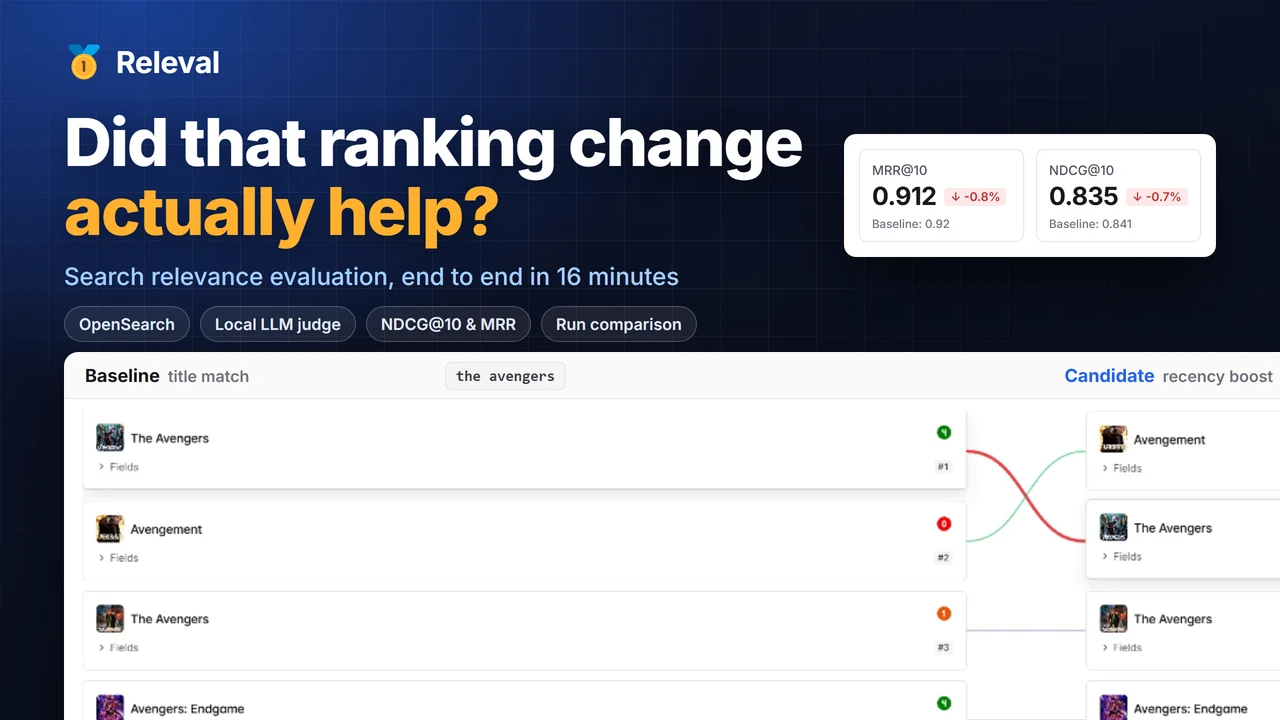
<p>If you'd rather watch than read, the video below goes through the complete flow: connecting a search system, creating a
query set, evaluating two query templates, generating judgments with an AI judge, and comparing the runs.</p>
<div class="frame_txxD"><a class="facade_ORfE" href="https://www.youtube.com/watch?v=MFx-dpHma6A" aria-label="Play video: Did that ranking change actually help? Measuring search relevance with Releval"><img class="poster_LVuf" src="https://releval.co/blog/assets/images/releval-walkthrough-poster-1d1a71b4f82963c7692f11070582fd57.webp" alt="" loading="lazy" decoding="async"><span class="play_gRWf" aria-hidden="true"><svg viewBox="0 0 68 48" width="68" height="48"><path class="playBadge_SU7Y" d="M66.52 7.74c-.78-2.93-2.49-5.41-5.42-6.19C55.79.13 34 0 34 0S12.21.13 6.9 1.55c-2.93.78-4.63 3.26-5.42 6.19C.06 13.05 0 24 0 24s.06 10.95 1.48 16.26c.78 2.93 2.49 5.41 5.42 6.19C12.21 47.87 34 48 34 48s21.79-.13 27.1-1.55c2.93-.78 4.64-3.26 5.42-6.19C67.94 34.95 68 24 68 24s-.06-10.95-1.48-16.26z"></path><path d="M45 24 27 14v20" fill="#fff"></path></svg></span></a></div>
<h2 class="anchor anchorTargetStickyNavbar_Vzrq" id="thats-10">That's 1.0<a href="https://releval.co/blog/releval-1-0/#thats-10" class="hash-link" aria-label="Direct link to That's 1.0" title="Direct link to That's 1.0" translate="no">​</a></h2>
<p>Releval is the platform I wanted when I've had to work out whether a ranking change actually made search better.
Ranking changes deserve the same kind of evidence we'd expect when changing other important application behaviour.
Releval is my attempt to make collecting that evidence straightforward enough that it can happen on every change.</p>
<p>The <a href="https://releval.co/docs/introduction/" target="_blank" rel="noopener noreferrer" class="">introduction</a> covers the main concepts, <a href="https://releval.co/docs/getting-started/" target="_blank" rel="noopener noreferrer" class="">Getting started</a>
will take you through a first evaluation, and the <a href="https://github.com/releval/tickets" target="_blank" rel="noopener noreferrer" class="">community repository</a> is the place
to report problems, suggest improvements and discuss where the platform should go next.</p>
<p>I'd particularly like feedback from people building and operating real search systems. If something doesn't fit the
way you work, I'd like to hear about it. Those gaps are generally more useful than hearing that everything
worked as expected.</p>
<p>Give Releval a try, and <a href="https://releval.co/contact-us" target="_blank" rel="noopener noreferrer" class="">let me know</a> how you get on. <!-- -->😎</p>]]></content>
        <author>
            <name>Russ Cam</name>
            <uri>https://releval.co</uri>
        </author>
        <category label="Releases" term="Releases"/>
        <category label="Search relevance" term="Search relevance"/>
    </entry>
</feed>